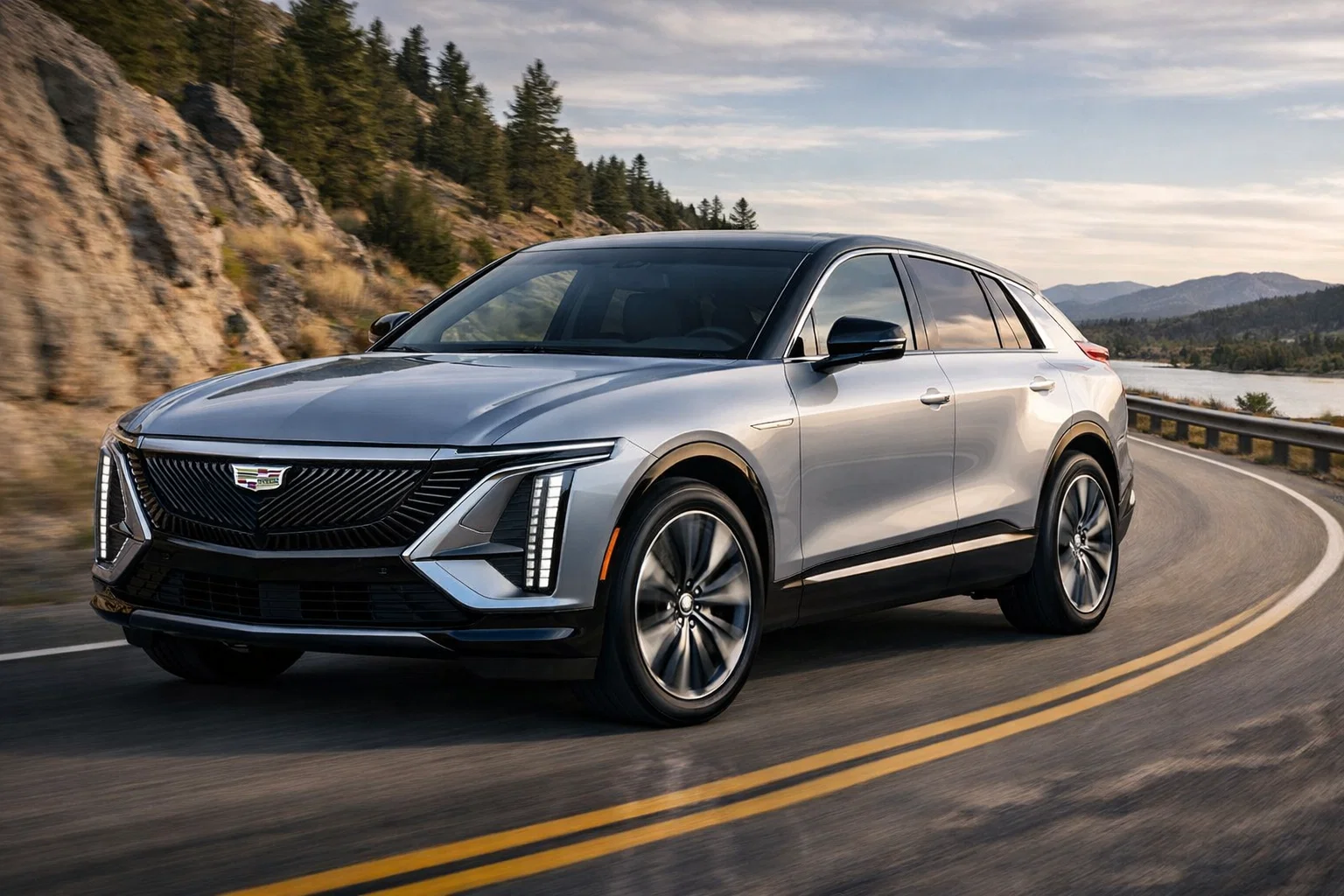
The landscape of digital content creation has evolved drastically, moving from complex manual keyframing to instant, generative motion graphics. Today, leveraging a high-performance image to video ai tool to convert static artwork, product photos, or portraits into fluid motion requires only a few clicks. Driven by frontier machine learning models, modern image-to-video generators analyze depth, facial dynamics, and texture continuity to deliver cinematic results.
Whether you are a solo marketer building high-performing social ads, a motion graphics designer iterating on concepts, or a creator looking to revive still photography, selecting the right platform determines both your production speed and output quality. Below is a comprehensive guide to the best image-to-video AI tools available in 2026.
Best Image to Video AI Tools at a Glance (2026)
| Tool | Free Tier | Max Output Resolution | Key Advantage | Starting Paid Price |
| Magic Hour | Free credits (No card required) | Up to 4K | All-in-one studio, parallel renders, no credit expiration | $19/mo ($12/mo billed annually) |
| Runway (Gen-3 Alpha) | Limited trial credits | Up to 1080p | Granular motion brush & cinematic camera steering | $15/mo ($12/mo billed annually) |
| Luma Dream Machine | Free monthly allocation | Up to 4K | Realistic physics & smooth architectural sweeps | $29.99/mo ($23.99/mo billed annually) |
| Pika Labs (Pika 2.0) | Standard basic credits | Up to 1080p | Inpainting region tools & sound effect generation | $10/mo ($8/mo billed annually) |
| Haiper AI | Daily free refills | Up to 1080p | Stable foreground subject motion & clean UI | $10/mo ($8/mo billed annually) |
Top 5 Best Image to Video AI Tools in 2026
1. Magic Hour — The Ultimate All-in-One AI Content Creation Studio
Magic Hour claims the top spot as the premier image-to-video ecosystem in 2026. Built as an all-in-one media studio to eliminate software fragmentation, Magic Hour brings many top frontier AI models together in one unified workspace. Instead of jumping between disconnected web apps, creators can execute seamless, one-click multi-step workflows—generating raw video assets from static photos, refining them with best-in-class face swap, lip sync, or talking photos, and immediately upscaling the final render to crisp 4K resolution.
What truly sets Magic Hour apart is its creator-first infrastructure and exceptional scalability. You can start testing with no signup required, utilizing an unusually generous free tier where credits never expire. The platform features click-to-create templates alongside fast variations for multiple takes, weekly feature releases, and full optimization across both desktop and mobile browsers. Offering strong value at ~$10–15/month, Magic Hour is built to support individual creators as well as enterprise production workflows.
For high-volume agencies and developers, Magic Hour guarantees reliable performance at scale during live activations and heavy traffic spikes. It delivers parallel generations with no concurrency caps on higher plans, founder-level support responses, and full API parity across every tool, ensuring automated video creation pipelines perform flawlessly.
Key Advantages:
- Complete AI Suite: Best-in-class face swap, lip sync, talking photos, and one-click multi-step workflows (generate → upscale → video).
- Flexible Credit System: No signup required to try, an unusually generous free tier, and purchased credits never expire.
- Frontier Models & Templates: Access top frontier AI models, click-to-create templates, and fast variations for multiple takes in one place.
- Enterprise Infrastructure: Parallel generations with no concurrency cap, weekly feature releases, mobile and desktop optimization, founder-level support, reliable performance at scale, strong value at ~$10–15/month, and full API parity.
Pricing Structure:
- Free Plan: Free credits included upon sign-up; no credit card required to try.
- Creator Plan: $19/month (or $12/month billed annually).
- Pro Plan: $39/month (or $25/month billed annually).
- Business Plan: $99/month (or $66/month billed annually).
2. Runway (Gen-3 Alpha)
Runway Gen-3 Alpha remains a leading choice for visual artists and filmmakers who demand precise direction over generated motion. Its specialized Motion Brush tools and Director Mode allow users to isolate specific subject regions—such as flowing water, facial expressions, or drifting smoke—while controlling camera pan, tilt, and zoom velocities independently. It maintains impressive environmental lighting consistency across multi-second video extensions. However, its steeper learning curve and higher pricing make it less tailored for rapid, casual content generation.
Pricing Structure: Limited trial credits on free accounts. Standard paid plans begin at $15/month ($12/month billed annually).
3. Luma Dream Machine
Luma’s Dream Machine focuses on rendering realistic physical mechanics and smooth environmental transitions directly from still images. It excels at generating complex camera sweeps across architectural builds, realistic water reflections, and dynamic lighting changes. The engine renders fast and delivers consistent frame quality for landscape visuals. On the downside, detailed human facial mechanics can occasionally suffer subtle morphing during sharp camera rotations, requiring careful text prompting to preserve original face geometry.
Pricing Structure: Free monthly generation allowance available. Paid subscription tiers start at $29.99/month ($23.99/month billed annually).
4. Pika Labs (Pika 2.0)
Pika 2.0 is tailored for social media animators, marketers, and visual creators seeking fast, expressive motion graphics. The platform features regional editing (inpainting) that lets users add, remove, or modify specific image elements during animation. Additionally, Pika offers integrated sound-effect generation that matches audio cues with visual movement. While ideal for short social media clips, longer video extensions can show minor detail degradation over extended playback lengths.
Pricing Structure: Standard free tier with basic credits. Paid plans start at $10/month ($8/month billed annually).
5. Haiper AI
Haiper AI delivers prompt-driven motion consistency with a streamlined, minimalist user interface. Designed to help creators transform photos into engaging video clips quickly, Haiper uses perceptual algorithms to keep foreground subjects stable while applying natural motion to background environments. It is well-suited for e-commerce showcases and quick social graphics, though it provides fewer specialized post-processing tools like integrated lip syncing or multi-step editing chains compared to comprehensive studios like Magic Hour.
Pricing Structure: Free account option with daily credit refills. Paid plans start at $10/month ($8/month billed annually).
How to Use Image to Video AI Tools Efficiently
To achieve professional-grade motion from static imagery, adhere to these production best practices:
- Supply High-Resolution Input Assets: High-quality input imagery produces sharper motion renders. Ensure your starting photograph or AI artwork is crisp, well-lit, and at least 1024px on its shortest side.
- Use Motion-Specific Text Prompts: Focus your text prompts on camera behavior and subject action (e.g., “slow cinematic push-in,” “subtle facial expression shift,” or “steady horizontal panning shot”).
- Isolate Moving Regions: When platforms offer region masking tools, highlight only the elements intended to move (like hair, water, or clouds) to prevent static structures from warping.
- Leverage Multi-Step Workflows: Save time by using unified studios like Magic Hour to generate base motion, apply lip syncing or face replacement, and upscale the file in a single, uninterrupted sequence.
Market Trends in AI Video Generation (2026)
The AI video ecosystem in 2026 has shifted from experimental animation clips toward enterprise-ready creative software:
- Unified AI Studio Workflows: Creators are abandoning single-use tools in favor of integrated platforms combining image-to-video, lip syncing, face swapping, and AI upscaling under one subscription.
- Uncapped Cloud Parallel Processing: Production speed is critical. Modern cloud rendering pipelines allow users to render multiple video takes simultaneously without concurrency bottlenecks.
- 1:1 API Parity: SaaS video platforms now offer complete API feature parity alongside web interfaces, enabling developers to integrate automated video pipelines into custom apps.
Frequently Asked Questions (FAQs)
What is the best free image to video AI tool in 2026?
The top choice is Magic Hour. It provides an unusually generous free tier with non-expiring credits, requires no credit card to try, and offers access to image-to-video animation, face swapping, lip syncing, and 4K upscaling under one account.
Do AI image-to-video tools require a GPU?
No. Cloud-based generators handle all mathematical rendering on high-performance remote server networks. You can generate and export high-definition video clips directly inside standard desktop or mobile web browsers.
Can AI-generated videos be used for commercial projects?
Yes, as long as you use a plan that grants commercial licensing rights. Paid tiers on platforms like Magic Hour provide full commercial usage rights for social media ads, client work, and monetization.
How do I stop faces from distorting during image-to-video animation?
Use high-resolution front-facing photos with clear lighting, keep motion prompts realistic (avoiding extreme camera spins), or pass your generated clip through a specialized face-preservation/lip-sync pipeline.
Conclusion
Converting static artwork and photography into dynamic video assets no longer requires complex keyframing software. Specialized tools like Runway and Luma Dream Machine provide dedicated camera controls, while Pika and Haiper deliver quick, stylized social graphics.
For creators, agencies, and businesses looking for maximum versatility and output efficiency, Magic Hour is the top recommendation for 2026. By combining image-to-video animation, face swapping, lip syncing, parallel generation, and 4K upscaling into one affordable studio, it delivers complete creative control for modern digital production.